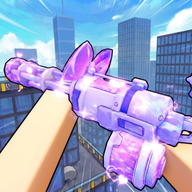
Master the Arena: Essential Hypershot Tips and Tricks for Roblox Players
Elevate your gameplay with these essential Hypershot tips and tricks. Learn keybinds, ability combos, currency farming, and objective strategies.
Roblox has no shortage of action-packed shooters, but few match the blistering pace and high skill ceiling of Hypershot. If you want to dominate the scoreboard and lead your team to victory, mastering the core mechanics with the right Hypershot tips and tricks is absolutely vital. Simply relying on raw aiming skills will only get you so far when movement, positioning, and ability management dictate the flow of battle.
In this comprehensive guide, we will break down the ultimate Hypershot tips and tricks to help you outmaneuver your opponents, optimize your loadouts, and maximize your in-game earnings. By understanding how to leverage your abilities, manage your economy, and configure your controls, you can transition from a beginner to a top-tier player.
Mastering the Hypershot Control Scheme
Before diving into advanced combat tactics, you must familiarize yourself with the default control layout. Hypershot features a standard first-person shooter control scheme, but it includes dedicated inputs for sliding, pinging, and activating multiple character abilities. Knowing these inputs by heart allows you to react instantly during intense firefights.
The table below outlines the default controls you need to memorize:
If the default layout does not suit your style, you can easily change your keybinds. Simply navigate to the settings menu by pressing the K key, locate the Keybinds section, and rebind the inputs to match your preferences. Utilizing custom keybinds is one of the most effective Hypershot tips and tricks to improve your reaction times.
Another critical setting to adjust is your crosshair. In the settings menu, you can access the "Edit Crosshair" tab. Here, you can modify the crosshair's appearance or import custom images to create a personalized reticle that stands out against the game's environments.
Tactical Ability Combinations and Movement
Hypershot behaves much like a hero shooter, meaning your abilities are just as important as your firearms. When you first start playing, you will receive one free default ability for each of your three ability slots. To expand your tactical options, you can spend diamonds to unlock more advanced abilities.
To help players experiment, the game features a weekly rotation system. Every week, two random abilities are made available completely free of charge, allowing you to test new playstyles before committing your hard-earned diamonds to a permanent purchase.
One of the best Hypershot tips and tricks for movement involves combining your physical maneuvers with your active abilities. For example, you can initiate a slide by pressing C and immediately follow it up with an upward shift ability. This combination allows you to quickly cover ground, slide onto an objective like a flag, and launch yourself to safety in a single, fluid motion.
The table below breaks down the core mechanics of the ability system:
Optimizing Loadouts and Weapon Progression
Hypershot provides players with a total of four distinct loadout slots. A loadout is a pre-configured group of weapons and abilities that you can select before or during a match. Utilizing these slots effectively removes the hassle of manually swapping your gear between rounds, allowing you to adapt to changing match dynamics instantly.
When it comes to upgrading your arsenal, you must manage your in-game coins wisely. You can unlock new weapons by spending coins in the shop. As a rule of thumb, you should always prioritize saving your coins for new weapons rather than spending them on cosmetic cases. Having a diverse selection of firearms gives you a tangible gameplay advantage, whereas weapon skins are purely visual.
If you do decide to hunt for cosmetics, you will need to open cases. Cases contain unique skins of varying rarities. The better the case tier, the higher your chances of pulling a rare cosmetic.
Here is a breakdown of the case tiers available in the game:
Maximizing Your Coin and Diamond Earnings
To unlock the best weapons and abilities, you need a steady stream of in-game currency. Hypershot offers several avenues for earning coins and diamonds, allowing active players to progress without relying on microtransactions.
The table below details all the primary methods for acquiring coins in the game:
One of the easiest Hypershot tips and tricks for passive earning is taking advantage of the Playtime Rewards system. This mechanic is designed to reward player retention. The longer you keep the game open—even if you are just adjusting your settings or customizing your loadouts in the main menu—the more prizes you can claim.
To collect these items, simply click on the gift box icon located at the top of your screen whenever it glows.
Strategic Playstyle: Focus on the Objective
Because Hypershot features a gameplay loop similar to hero shooters like Overwatch, player experience and community reports emphasize that survival is secondary to objective control. The game grants you unlimited lives, meaning a high death count will not penalize your team as long as you are actively contributing to the match goals.
Whether your team is tasked with capturing flags, dominating control hills, or securing specific zones, you must play aggressively. Use your movement abilities to contest points, ping enemy locations using the Z key to coordinate with your squad, and swap loadouts mid-match to counter your opponents' strategies. By applying these Hypershot tips and tricks to your movement and team play, you will find yourself winning far more matches.
Frequently Asked Questions
What are the best Hypershot tips and tricks for movement?
The best movement strategy is to combine sliding with your active abilities. Press C to slide, and immediately follow it up with an upward shift ability (assigned to Q, E, or X) to cover massive distances quickly. This is highly effective for capturing objectives and escaping dangerous crossfire.
Is Hypershot free to play?
Yes, Hypershot is completely free to play on the Roblox platform. While the game features optional microtransactions to purchase currency, they do not hinder your ability to play, compete, and enjoy the game.
How do I unlock new weapons and abilities in Hypershot?
You can unlock new weapons by spending coins in the shop, which you earn by logging in daily, completing match objectives, staying active for playtime rewards, getting kills, and leveling up. Abilities are unlocked by spending diamonds, though you can use two random abilities for free each week via the rotating weekly system.
Can I customize my controls and crosshairs?
Yes. You can customize your keybinds by pressing K to open the Settings menu and navigating to the Keybinds section. To edit your crosshair, go to the "Edit Crosshair" tab in the Settings menu, where you can modify the reticle or import custom images.
Sources
Related Guides
Hypershot How to Get Good: Master Movement, Loadouts, and Strategy
Ready to dominate the arena? Learn how to get good at Hypershot with our comprehensive guide covering movement, ability combos, and loadout strategies.
Hypershot Noob to Pro: The Ultimate Mastery Guide for Roblox FPS Dominance
Learn how to go from a Hypershot noob to pro with our comprehensive guide on movement, abilities, loadouts, and objective-based strategies.
Master the Leaderboards: The Ultimate Hypershot Pro Gameplay Guide for Roblox FPS Fans
Level up with our Hypershot pro gameplay guide. Learn about the Azure Polarized M16, Project: OVERDRIVE, and top community tactics to dominate Roblox FPS.
The Ultimate Hypershot Beginner Guide: How to Dominate the Lobby
Master Roblox Hypershot with our comprehensive Hypershot beginner guide. Learn the best controls, movement mechanics, and loadout strategies.