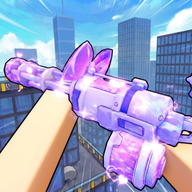
Best Hypershot Crosshair Codes: A Complete List of Roblox Decal IDs for Precision Aiming
Boost your accuracy with the latest Hypershot crosshair codes. Explore our massive list of Roblox Decal IDs, including dots, circles, and custom designs.
Finding the perfect Hypershot crosshair codes can be the deciding factor between a winning streak and a frustrating defeat in high-stakes Roblox shooters. Whether you are navigating the streets of Da Hood or engaging in tactical combat in Counter Blox, your reticle serves as your primary point of interaction with the game world. By utilizing specific Hypershot crosshair codes, players can customize their visual interface to better suit their personal reaction times and visibility preferences.
Customizing your aim is not just about aesthetics; it is a fundamental part of competitive optimization. The default reticles in many games are often too bulky or lack the contrast needed to stand out against complex backgrounds. Community reports suggest that switching to a custom decal ID can significantly reduce visual clutter, allowing for better headshot tracking and flick-shot consistency. In this guide, we have compiled an extensive database of verified IDs to help you refine your targeting.
The Importance of Customizing Your Reticle in Roblox Shooters
In the realm of Roblox-based shooters, the term "crosshair" refers to the graphical overlay that indicates where your weapon is pointed. While many players stick with the stock options provided by the developers, power users often turn to custom decal IDs to gain an edge. According to player experience, the right crosshair can improve focus by providing a clear center point that does not obscure the enemy's movement.
When selecting from various Hypershot crosshair codes, it is essential to consider the environment of the game you are playing. For instance, a bright green or cyan reticle might be highly visible in dark, urban maps like those found in Da Hood, while a red or pink star might be better suited for environments with a lot of natural foliage. The goal is to create a high-contrast point that your eyes can instantly lock onto without conscious effort.
High-Visibility Hypershot Crosshair Codes for Fast-Paced Combat
For players who prefer fast-paced, "run and gun" gameplay, visibility is the most critical factor. If you lose track of your reticle during a chaotic firefight, your accuracy will plummet. Glow-effect crosshairs and vibrant colors are the preferred choice for these scenarios. Community reports often highlight that "glow" variants help the eye maintain a lock on the center of the screen even when the camera is shaking or moving rapidly.
Below is a selection of high-visibility Hypershot crosshair codes that utilize color and light to stand out:
Using a cyan or pink reticle is a common tactic among professional players because these colors rarely appear in the natural textures of most Roblox maps. This ensures that the Hypershot crosshair codes you choose remain distinct from the background at all times.
Minimalist and Precision-Focused Dot Codes
Many elite players in the community argue that "less is more" when it comes to aiming. Large crosshairs can sometimes cover up the very target you are trying to hit, especially at long distances. This is where dot crosshairs become invaluable. By using a single, small point of reference, you can ensure that your target remains fully visible, which is crucial for sniping or long-range precision shots.
The following table lists the top minimalist Hypershot crosshair codes currently available in the Roblox decal database:
Player experience suggests that the RCL (Roblox Combat League) style dots are particularly effective for games that require high clicking accuracy. The Green and Red Dot Aim IDs are staples in the competitive community for their simplicity and effectiveness.
Aesthetic and Thematic Crosshair IDs
Not every player is looking for a strictly professional or minimalist look. Some prefer to add a bit of personality to their UI while still maintaining a functional aiming point. These aesthetic crosshairs range from cute icons like kittens and hearts to stylized stars. While they may seem casual, many of these designs still feature a very precise center point, making them surprisingly effective for actual gameplay.
These Hypershot crosshair codes allow you to express yourself without sacrificing the ability to compete. The "Pink Star Crosshair" and the various "Heart Crosshair" options are currently very popular among players who enjoy the "soft" or "kawaii" aesthetic common in many Roblox social-combat hybrids.
Technical Guide: How to Use These Codes in Game
Applying these codes is generally a straightforward process, though it varies slightly depending on the specific game's interface. Most games that support custom crosshairs will have a "Settings" or "Customization" menu where you can input a numerical ID.
- Locate the ID: Choose a number from the tables provided above.
- Open Game Settings: Launch your preferred Roblox game (e.g., Da Hood or Hypershot).
- Find the Crosshair Section: Look for a field labeled "Crosshair ID," "Decal ID," or "Custom Reticle."
- Input the Code: Type or paste the numerical ID into the box.
- Save/Apply: Confirm the changes to see your new reticle on the screen.
If the crosshair does not appear immediately, community reports suggest re-joining the server or checking if the game requires a specific "game pass" to unlock custom UI features.
Advanced Aiming Strategies and Reticle Selection
Choosing the right Hypershot crosshair codes is only the first step. To truly master your aim, you must understand how your brain processes visual information. A reticle that is too large can lead to "lazy aiming," where you settle for hitting the general area of the target rather than the center. Conversely, a reticle that is too small might be lost during high-intensity movement.
- Color Theory: Use green or magenta for maximum contrast. Avoid browns, greys, or dull blues that might blend into the urban textures of Roblox maps.
- Static vs. Dynamic: Most decal IDs provide a static crosshair. This is often preferred by veterans because it provides a consistent point of reference that does not change size when moving or jumping.
- Size Scaling: If the game allows you to change the scale of the decal, try to keep it as small as possible while still remaining visible.
By experimenting with different Hypershot crosshair codes, you can find the exact balance of size, color, and shape that fits your physiological reaction time. Many players find that they perform better with a "Dot" for long-range encounters but prefer a "Glow Circle" for close-quarters combat where tracking is more important than pinpoint precision.
Frequently Asked Questions
What are the best Hypershot crosshair codes for beginners?
For beginners, the "Crosshair" (ID: 4048495272) or the "Counter Blox Crosshair" (ID: 2827093428) are excellent starting points. They offer a familiar, balanced shape that works well in almost any combat situation without being distracting.
Why isn't my crosshair decal ID working?
If a code isn't working, it could be due to the specific game's restrictions or the decal being moderated by the platform. However, the IDs listed here, such as the "Little crosshair" (ID: 1827745864), are widely used in the community. Ensure you are entering only the numbers and not any text.
Can I use these codes in games other than Hypershot?
Yes, these Roblox Decal IDs are universal. While they are popular for Hypershot-style gameplay, they are also frequently used in other titles like Da Hood, Counter Blox, and various RCL-based games.
Are there any crosshairs that actually improve aim?
While no code can physically change the game's mechanics, some codes like the "Exclusive Crosshair (10% better aim)" (ID: 2159978195) are claimed by the community to improve performance. This is usually due to better visual clarity and psychological confidence rather than a change in the game's code.
Sources
Related Guides
How to Find the Best Hypershot Crosshair Image ID for Roblox Games
Discover the top Roblox crosshair decal codes, including the Hypershot crosshair image id, to upgrade your aim in Da Hood and Counter Blox.
Hypershot Best Crosshair Settings: The Ultimate Guide for Roblox FPS Players
Discover the Hypershot best crosshair configurations, tryhard setups, and cute styles recommended by top community creators on TikTok.
Top Hypershot Roblox Crosshair Settings and Pro Movement Tips for Competitive Play
Master your aim with the best Hypershot Roblox crosshair settings. Learn tryhard and cute crosshair styles, movement guides, and weapon loadouts.